
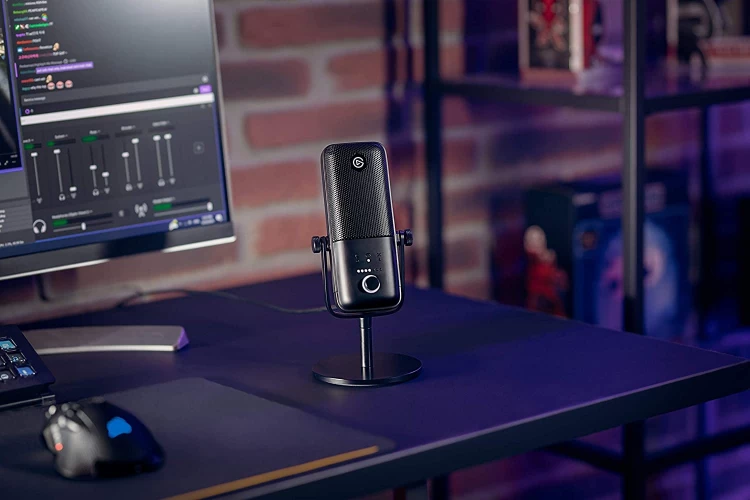
Elgato microphones are built for one type of user: creators who want control without complexity. Instead of focusing purely on raw audio specs, Elgato designs its microphones around workflow, integration, and real-time control.
This guide breaks down how Elgato microphones perform in everyday setups. It covers the different types, key features, best use cases, and the common mistakes that can hold your audio back.
What Are Elgato Microphones Known For?
Elgato focuses on creator ecosystems rather than standalone gear. Their microphones are designed to work seamlessly with streaming software, mixing tools, and accessories. That’s why they’re often used by streamers, YouTubers, and content creators who want more control over their audio without building a complex studio.
In practical terms, the best Elgato microphones are known for:
- Deep software integration with tools like Wave Link
- Real-time audio control and mixing
- Clean, modern sound tailored for voice
They’re less about traditional studio recording and more about making content creation smoother and more efficient.
Types of Elgato Microphones
Elgato keeps its lineup focused, but each model is designed with a specific workflow in mind.
USB Condenser Microphones
Elgato’s core microphones fall into the USB condenser mic category. Models like the Elgato Wave:3 and Elgato Wave:1 are designed for direct connection and real-time control. They’re built for:
- Streaming
- Podcasting
- Voice recording
- Live content creation
What sets them apart isn’t just sound quality, but how they integrate with Elgato’s software. You can manage multiple audio sources, adjust levels, and route sound without needing external mixers.
Dynamic USB Microphones
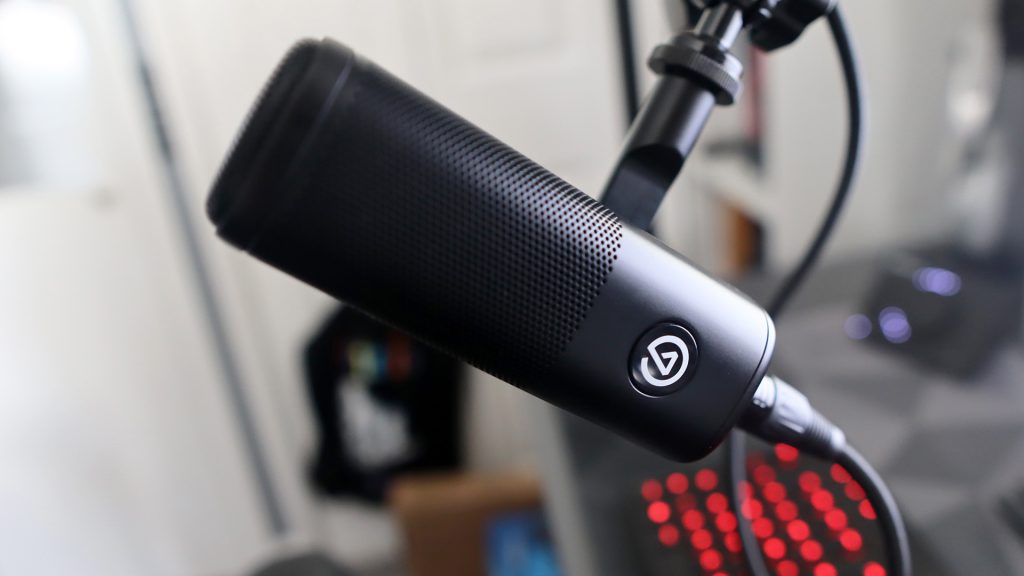
Elgato has also moved into dynamic microphones with models like the Elgato Wave DX. These are designed for better noise control, especially in untreated environments. Compared to condenser USB mics, they:
- Capture less background noise
- Provide a more focused vocal sound
- Work better in typical home setups
They’re a practical choice if your recording space isn’t ideal.
Hybrid and Ecosystem-Based Setups
Elgato microphones often work best when paired with other tools in their ecosystem. For example, combining a Wave microphone with Wave Link software allows you to control game audio, voice chat, music, and mic input in one place. This approach is less about standalone hardware and more about building a streamlined workflow.
Key Features to Look for in Elgato Microphones
Elgato microphones stand out because of how their features translate into real-world usability.
Wave Link Software Integration
This is one of the biggest advantages. Wave Link allows you to mix multiple audio sources in real time. You can control your mic, game audio, music, and chat separately without needing a physical mixer. For streamers, this simplifies what would otherwise be a complicated setup.
Clipguard Technology
Some models include built-in clipping protection. This helps prevent distortion when your voice suddenly gets louder. Instead of peaking and ruining your recording, the mic automatically manages the signal. It’s especially useful for live content where you can’t redo takes.
Sound Tuning for Voice
Elgato microphones are tuned for speech clarity. They emphasize the frequencies that make voices sound present and easy to understand. This works well for streaming and podcasting, where intelligibility matters more than musical detail.
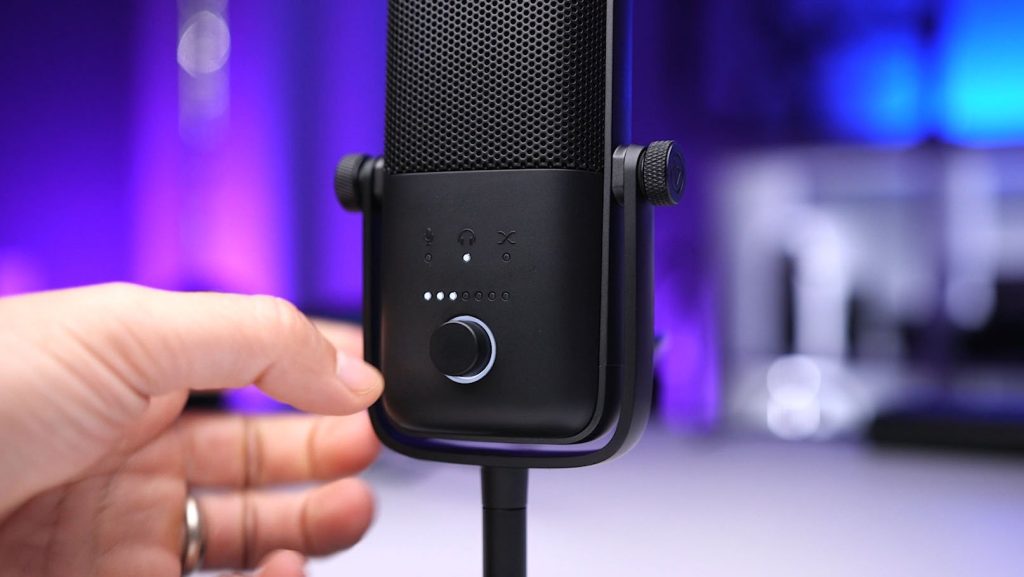
Onboard Controls
Most Elgato microphones include physical controls for gain, mute, and headphone volume. This allows you to make quick adjustments without opening software, which is important during live sessions.
Clean and Functional Design
Elgato microphones are designed to fit into modern desk setups. They’re compact, minimal, and built to work well with boom arms and streaming accessories. This makes placement easier and helps maintain a clean workspace.
Best Uses for Elgato Microphones
Elgato microphones are built around specific workflows rather than broad studio use.
Streaming and Live Content
This is where Elgato microphones perform best. Models like the Elgato Wave:3 are designed for real-time use. You can control levels, manage multiple audio sources, and adjust your setup without interrupting your stream. This level of control is difficult to achieve with standard USB microphones.
Podcasting with Multiple Audio Sources
If your podcast involves music, sound effects, or remote guests, Elgato’s software integration becomes a major advantage. You can balance different audio inputs in real time, which reduces editing work later.
Gaming and Voice Chat
For gamers, clarity and consistency matter more than studio-level detail. Elgato microphones provide a focused vocal sound that cuts through background noise and game audio. Combined with Wave Link, you can manage in-game sound and voice chat more effectively.
Home Recording in Untreated Spaces
Dynamic options like the Elgato Wave DX are better suited for typical home environments. They reduce background noise and make it easier to get clean audio without treating your room.
Common Mistakes When Choosing an Elgato Microphone
Most issues come from misunderstanding how these microphones are meant to be used. Elgato designs its gear around workflow, not just standalone performance, so skipping that context leads to missed potential.
Ignoring the Software Advantage
Elgato microphones are designed to work closely with Wave Link. If you’re not using the software, you’re essentially treating the microphone like any other USB mic. That means you’re missing out on multi-channel mixing, independent volume control, and the ability to manage different audio sources in real time.
In practice, Wave Link replaces the need for a physical mixer in many setups. Not using it removes one of the biggest reasons to choose Elgato in the first place.
Choosing Based on Specs Instead of Workflow
Elgato microphones aren’t built to win on traditional spec sheets. They’re designed to simplify how you manage audio while creating content. If you focus only on things like frequency response or sensitivity, you may overlook how much time and effort the ecosystem saves during recording or streaming.
The real value shows up when you’re handling multiple inputs like game audio, voice chat, and music. That’s where Elgato stands out compared to more traditional microphones.
Using a Condenser Mic in a Noisy Setup
Condenser models will pick up room noise, keyboard clicks, and background activity. If your environment isn’t controlled, this can make your audio sound cluttered or distracting. In these situations, a dynamic microphone like the Elgato Wave DX is usually the better choice because it focuses more on your voice and rejects more of the room.
Choosing the wrong type often leads to unnecessary frustration, even if the microphone itself is working as intended.
Poor Gain Management
Even with built-in protection like Clipguard, the gain still needs to be set properly. If your gain is too high, you risk distortion or an overly compressed sound. If it’s too low, your audio may lack presence and require boosting later, which can introduce noise. Balancing your input levels ensures consistent, clean audio, especially during live sessions where you can’t fix issues afterward.
Expecting Studio-Level Recording Performance
Elgato microphones are optimized for content creation, not high-end studio recording. They’re excellent for streaming, voiceovers, and live content, but they’re not designed to replace dedicated studio microphones for music production or detailed instrument recording. Expecting them to handle every scenario at a professional studio level often leads to unrealistic comparisons.
How to Choose the Right Elgato Microphone
Start with Your Workflow
Think about how you actually create content. If you stream, record gameplay, or manage multiple audio sources, a USB condenser like the Elgato Wave:3 makes sense because of its integration with Wave Link. If your priority is cleaner audio in a less controlled space, a dynamic option will give you better results with less background noise.
Consider Your Environment
Your room has a direct impact on how your microphone performs. If you’re working in a noisy or reflective space, choosing a microphone that reduces background noise is more important than choosing one that captures more detail. Even small changes in positioning or setup can improve your results.
Decide How Much Control You Need
If you just want to record voice with minimal setup, most USB microphones will get the job done. If you want to control multiple audio sources in real time, balance levels during a stream, and reduce post-production work, Elgato’s ecosystem offers a clear advantage. Your choice should reflect how much control you want during your workflow.
Elgato Microphones vs Other Brands
Blue Microphones vs Elgato
Blue focuses on plug-and-play simplicity with voice-friendly tuning. Elgato adds deeper control through software integration. If you want something quick and straightforward, Blue is easier to start with. If you want more control over multiple audio sources, Elgato is the stronger option.
Rode vs Elgato
Rode offers a wider mix of USB and XLR microphones with strong standalone performance. Elgato focuses more on workflow and integration. Rode is better for traditional recording setups, while Elgato is built for streaming and real-time content creation.
Shure vs Elgato
Shure emphasizes durability and consistent performance in professional environments. Elgato prioritizes ease of use and creator-focused features. If you need reliability for studio or stage use, Shure stands out. If you want a streamlined content creation setup, Elgato is the better fit.
Final Thoughts
Elgato microphones aren’t just about sound quality. They’re about control. If you create content that involves multiple audio sources, live adjustments, or streaming, they simplify your workflow in a way most microphones don’t. As long as you match the microphone to your setup and use the software properly, you’ll get clean, reliable audio without unnecessary complexity.