

Wireless Microphones
We have reviewed 13 wireless microphones. Filter by price, brand or rating, read every wireless microphone review, or start with the guide if you would rather we just told you.
- Judged on the same points as every microphone we review
- No brand pays to appear or to rank higher
- Updated when models change or are discontinued
The short answer
The Best Wireless Mic
-
Sennheiser EW 500 G4-935 Microphone
4.7
- Brand
- Sennheiser
- Type
- Wireless
- Polar pattern
- Unidirectional
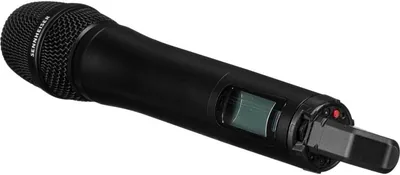
When it comes to a solid wireless system that delivers astounding vocal acuity, Sennheiser is an expert. The brand has long sin...
Read the review See alternativeNo longer on Amazon. Our alternative: Sennheiser Wireless Lavalier Set ew 500 G4-MKE2-GW+)
-
Shure PGXD24/SM58-X8 Microphone
4.7
- Brand
- Shure
- Type
- Wireless
- Polar pattern
- Unidirectional
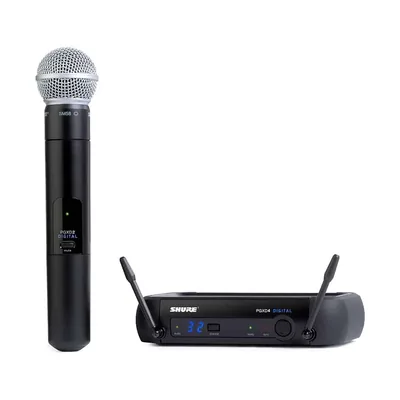
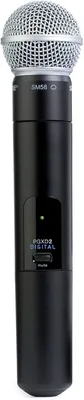
When it comes to live performances, wired microphones can be inconvenient. Whether you’re delivering a speech or singing a song...
Read the review See alternativeNo longer on Amazon. Our alternative: Shure SM58 Pro XLR Dynamic Vocal Microphone
-
Sennheiser Pro Audio EW 135P G4 Microphone
4.3
- Brand
- Sennheiser
- Type
- Wireless
- Polar pattern
- Cardioid
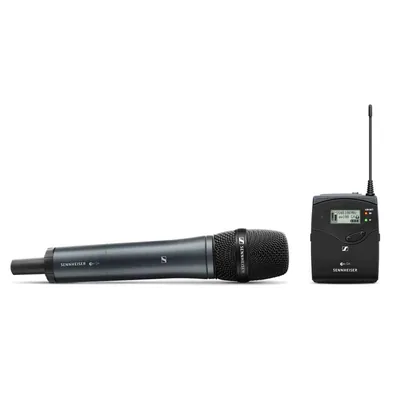
The Sennheiser EW 135P G4 camera-mount wireless handheld microphone system is the perfect choice for professional recordings, f...
Read the review See alternativeNo longer on Amazon. Our alternative: Sennheiser Pro Audio Portable Lavalier Wireless Set, AW+ (ew 512P G4
-
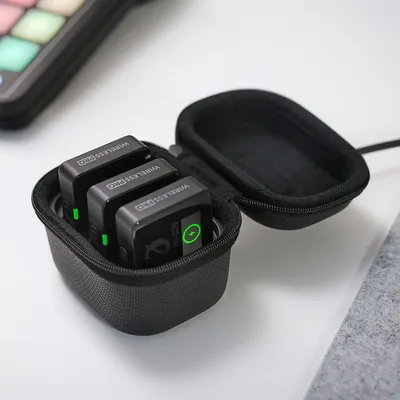
RØDE Wireless Pro Microphone
4.0
$260.00
- Brand
- Rode
- Type
- Wireless
- Polar pattern
- Omnidirectional
When it comes to professional-grade wireless audio, the RODE Wireless Pro has quickly become a game-changer. Compact yet powerf...
-
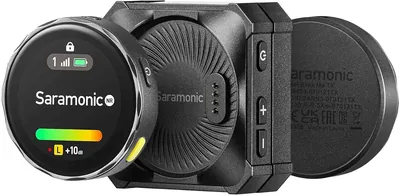
Saramonic Blink Me Wireless Microphone
$249.00
- Brand
- Saramonic
- Type
- Wireless
- Polar pattern
- Omnidirectional
If you’ve ever recorded a video and thought, “This would be perfect… if only the audio didn’t sound terrible,” you’re not alone...
-
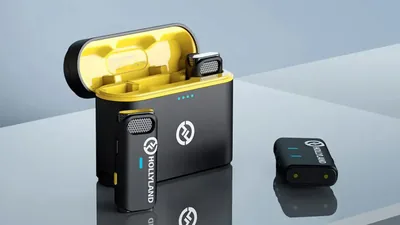
Hollyland Lark M1 Wireless Lavalier Microphone
$99.95
- Brand
- Hollyland
- Type
- Lavalier
- Polar pattern
- Omnidirectional
The Hollyland Lark M1 positions itself as a compact, budget-friendly wireless lavalier system designed for creators who want re...
-
Audio-Technica System 10 ATW-1101/H92-TH
$439.95
- Brand
- Audio-Technica
- Type
- Wireless
- Polar pattern
- Omnidirectional
Whether you’re delivering a presentation, leading a fitness class, or performing on stage, having dependable audio equipment is...
-
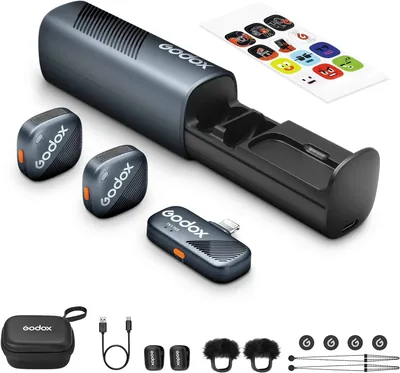
GODOX Cube-SL Wireless Lavalier Microphone
$99.00
- Brand
- GODOX
- Type
- Lavalier
- Polar pattern
- Omnidirectional
If you’re a content creator or journalist, then you better buckle up and read this GODOX Cube-SL Wireless Lavalier Microphone r...
-
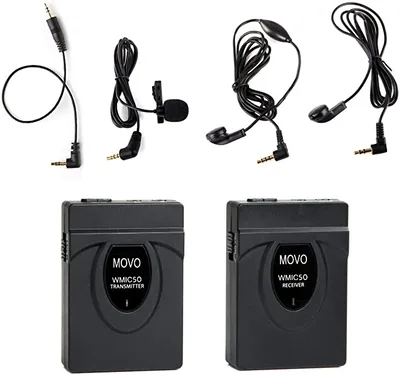
Movo WMIC50 Microphone
$14.95
- Brand
- Movo
- Type
- Lavalier
- Polar pattern
- Bidirectional
Whether you’re a journalist interviewing people or a content creator shooting for a new video, the Movo WMIC50 makes it easy to...
-
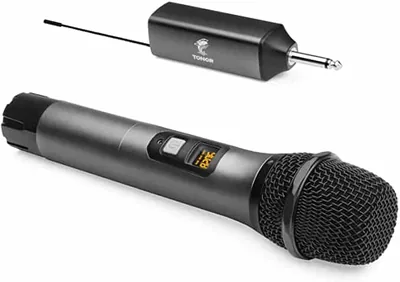
TONOR TW-620 Microphone
$39.99
- Brand
- TONOR
- Type
- Wireless
- Polar pattern
- Cardioid
Normally, microphones are a pretty pricey investment that you need to save a lot for when you’re in need of a quality sound sys...
-
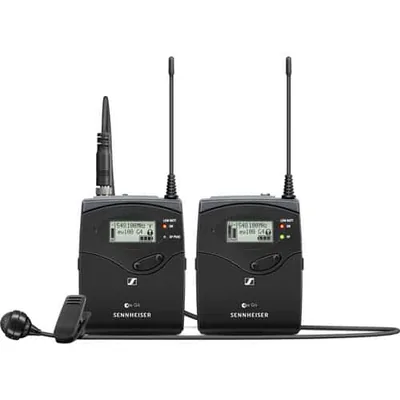
Sennheiser EW 122P G4-A Microphone
- Brand
- Sennheiser
- Type
- Lavalier
- Polar pattern
- Cardioid
The Sennheiser EW 122P G4 camera-mount wireless lavalier microphone system is reliable, flexible, and broadcast quality, making...
Read the review See alternativeNo longer on Amazon. Our alternative: Sennheiser Pro Audio ME 4-N cardioid EW microphone
-
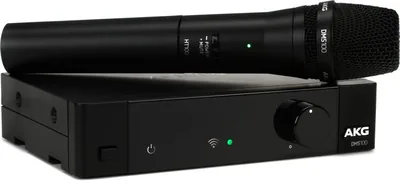
AKG DMS100 Microphone
$274.00
- Brand
- AKG
- Type
- Wireless
Wireless mic systems that have excellent audio quality and have a ton of positive reviews are one of the greatest assets of a l...
-
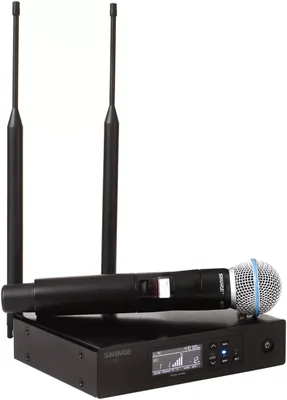
Shure QLXD24/B58 Microphone
- Brand
- Shure
- Type
- Wireless
- Polar pattern
- Supercardioid
The Shure QLXD24/B58 handheld wireless microphone system is a fantastic option if you’re looking for a wireless and professiona...
Wireless microphones are built to let you move freely without sacrificing audio. From live performances and presentations to YouTube videos and interviews, wireless systems remove the physical limitation of cables. You’re not tied to a desk, a camera, or a fixed position. That freedom is what makes them so powerful.
Wireless microphones add complexity. You’re dealing with signals, batteries, interference, and setup. If you don’t understand how they work, your audio can become inconsistent or unreliable.
This guide breaks everything down. You’ll learn how wireless microphones work, when to use them, what features matter, and how to set them up for clean, stable audio. If you’re looking for specific recommendations, check our guide to the best wireless microphones once you finish here.
What Is a Wireless Microphone?
A wireless microphone system transmits audio from a microphone to a receiver without using a cable. Instead of a direct connection, the signal travels through radio frequencies, allowing you to move freely while still maintaining a live audio feed. A typical wireless setup includes three main components:
- A microphone
- A transmitter
- A receiver
The microphone captures your voice and sends the signal to the transmitter, which then broadcasts it wirelessly to the receiver. The receiver is connected to your camera, audio interface, or sound system, where the signal is converted back into usable audio.
What makes wireless systems different from wired setups is that your signal is no longer fixed. It depends on factors like distance, signal strength, and interference from other devices. That’s why setup and positioning matter more than people expect. When everything is configured properly, a wireless microphone can deliver clean, stable audio with the added benefit of complete mobility. But unlike plug-and-play microphones, it requires a bit more awareness to maintain consistent performance.
How Wireless Microphones Work
Wireless microphones convert your voice into a radio signal, transmit it through a selected frequency, and then convert it back into audio at the receiver. This process happens almost instantly, but it depends on signal strength, frequency stability, and environmental conditions. Unlike wired microphones, wireless systems are affected by:
- Distance between transmitter and receiver
- Physical obstacles like walls or people
- Interference from other wireless devices
Understanding this helps you avoid common issues like dropouts or signal loss.
Who Should Use a Wireless Microphone?

Wireless microphones are best for situations where movement and flexibility are essential. They remove physical limitations, but they also require a bit more setup and awareness compared to wired options. When used properly, they make recording and performing feel more natural and less restricted.
Presenters and Public Speakers
If you’re speaking on stage or in front of an audience, being tied to a cable can limit how you move and interact. It can also create distractions, especially if you need to manage where the cable runs or avoid stepping on it.
Wireless systems allow you to walk freely, use gestures naturally, and engage with your audience without thinking about your setup. This leads to more confident delivery and a smoother presentation overall. It also helps maintain consistent audio levels as you move, which is important for larger spaces.
Content Creators and YouTubers
For creators who film dynamic content, wireless microphones remove the need to stay close to a camera or recording device. This is especially useful for tutorials, walkthroughs, and lifestyle content where movement is part of the presentation.
Instead of adjusting your position to stay within range of a fixed mic, you can focus on framing, performance, and storytelling. Wireless setups also help keep your visuals clean, since you don’t have visible cables or desk-mounted microphones in the shot.
Interviewers and Filmmakers
Wireless microphones simplify multi-person recording. Each subject can wear their own transmitter, which keeps audio levels balanced and avoids the inconsistency that comes from sharing a single mic. This setup is particularly useful in interviews and documentary-style filming, where subjects may move or shift positions. It also reduces the need for visible equipment, helping maintain a more natural and professional look on camera.
At the same time, it gives you more control in post-production, since each voice can be adjusted individually.
Performers and Musicians
On stage, mobility directly affects performance. Being restricted by cables can limit movement, stage presence, and interaction with the audience.
Wireless microphones allow performers to move freely, which creates a more engaging and dynamic experience. Whether you’re singing, speaking, or performing, that freedom can make a noticeable difference in how your performance feels. It also reduces the risk of cable-related issues, such as tangling or accidental disconnection, which can interrupt a live performance.
Types of Wireless Microphone Systems
Wireless microphones come in different formats depending on how they’re used. The core technology is the same, but the way the microphone is worn or handled changes how it performs in real situations. Choosing the right type comes down to visibility, movement, and how consistent you need your audio to be.
Handheld Wireless Microphones
These combine the microphone and transmitter into a single unit, which makes them one of the simplest wireless options to use. They’re commonly used for live performances, presentations, and interviews where holding a mic feels natural. Because the microphone stays close to the mouth, you get strong, consistent audio with minimal setup.
They’re also easy to pass between speakers, which is why they’re popular for events and Q&A sessions. The trade-off is that one hand is always occupied, and the microphone is always visible on camera or stage.
Lavalier Wireless Systems
These use a small clip-on lav mic connected to a bodypack transmitter, usually worn on a belt or hidden under clothing. They’re ideal for presentations, interviews, and video production where you want a clean, hands-free setup. Once clipped in place, the mic stays relatively consistent, even if the speaker moves around. This makes them great for natural delivery and on-camera work.
However, placement is critical. Poor positioning or clothing interference can affect sound quality, so a bit of setup and testing is needed to get the best results.
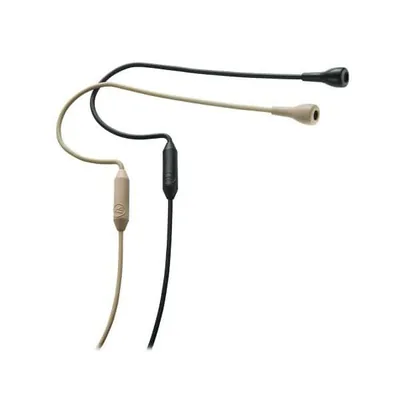
Headset and Earset Microphones
These attach directly to the head and position the mic close to the mouth, which gives you the most consistent audio of any wireless setup. Because the mic stays fixed in place, your volume and tone remain stable even as you move, turn your head, or change position. This is why they’re commonly used in fitness instruction, stage performances, and high-energy presentations.
They’re also effective in louder environments since the mic stays close to the source. The main downside is visibility. Unlike lav mics, headset microphones are clearly visible, which may not suit every type of content or production style.
Key Features to Look for in a Wireless Microphone
Choosing a wireless system isn’t just about sound quality. Stability and reliability matter just as much. A system that sounds great but drops signal or cuts out mid-recording isn’t usable in real situations. The goal is consistent performance from start to finish.
Frequency Range and Stability
Wireless systems operate on specific frequency bands, and this directly affects how stable your connection is. A stable frequency reduces the risk of interference, dropouts, and unwanted noise. In busy environments with multiple wireless devices, choosing the right frequency becomes critical.
Systems with automatic frequency scanning can simplify this by finding the clearest channel for you. Without proper frequency management, even high-end systems can struggle to maintain a clean signal.
Range
Range determines how far you can move from the receiver while maintaining a stable connection. Manufacturers often advertise maximum range, but real-world performance is usually lower. Walls, people, and electronic interference can all reduce effective distance.
What matters isn’t just maximum range, but reliable range. A shorter, stable connection is far more useful than a longer range that cuts in and out.
Battery Life
Wireless systems rely entirely on battery power for both transmitters and receivers, which makes battery life a critical factor. If your system can’t last through your recording session or event, it becomes a liability. Consistent power ensures your audio doesn’t drop unexpectedly.
It’s also worth considering how quickly batteries can be swapped or recharged. Having a system that’s easy to manage during long sessions makes a noticeable difference in real use.
Audio Quality and Latency
Audio quality varies across wireless systems, especially between entry-level and higher-end models. Some systems introduce slight latency, which can affect real-time monitoring or live performance. While small delays may not be noticeable in recorded content, they can become distracting in live situations. Higher-quality systems minimize latency and maintain consistent audio clarity, which is especially important for professional use.
Build Quality
Wireless microphones are often used in active, unpredictable environments. They’re clipped to clothing, handled frequently, and transported between locations. A durable build ensures the system can handle regular use without signal issues or physical wear affecting performance.
Reliable connectors, solid casing, and secure mounting options all contribute to long-term consistency.
Common Wireless Microphone Mistakes
Wireless systems offer flexibility, but they also introduce new challenges. Most problems come from setup and signal management rather than the microphone itself.
Ignoring Interference
Wireless microphones share frequency space with other devices, including Wi-Fi networks and other wireless systems. If you don’t check for interference, you risk dropouts, static, or inconsistent audio. Taking the time to scan for a clear frequency and test your setup reduces these issues significantly.
Poor Receiver Placement
Receiver placement has a direct impact on signal strength. If the receiver is blocked by obstacles or placed too far from the transmitter, your connection becomes unstable. Keeping a clear line of sight improves reliability and reduces the chance of signal loss. Even small changes in placement can improve performance.
Not Monitoring Battery Levels
Running out of battery mid-recording is one of the most avoidable problems. Wireless systems don’t fail gradually. They often cut out suddenly. Checking battery levels before starting and keeping spares ready is essential, especially for longer sessions or live events.
Overestimating Range
Just because a system claims a certain range doesn’t mean it will perform that way in your environment. Obstacles, interference, and movement all affect signal strength. Testing your setup within your actual recording space gives you a more realistic idea of what to expect.
How to Set Up a Wireless Microphone Properly
A proper setup ensures stable, clean audio without interruptions. With wireless systems, preparation matters more than anything else.
Pairing and Frequency Selection
Start by making sure your transmitter and receiver are properly paired and operating on a clear frequency. Many systems offer automatic scanning, which helps you avoid crowded channels. Even with this feature, it’s worth testing your setup to confirm stability before recording.
Positioning the Transmitter and Receiver
Keep the transmitter securely attached and avoid blocking it with your body or clothing. Place the receiver where it has a clear signal path. The fewer obstacles between the transmitter and receiver, the more stable your connection will be.
Checking Levels
Set your input levels so your audio is strong and consistent without clipping. Speak at your normal volume while adjusting levels, and watch your meters closely. A clean signal at the source reduces the need for heavy correction later.
Monitoring During Use
If possible, monitor your audio in real time using headphones. This allows you to catch issues like dropouts, interference, or sudden level changes before they affect your final recording.
Software Setup
Make sure your recording device or software is using the receiver as the input source. This is a common issue when switching between devices. Tools like Audacity, Adobe Audition, and GarageBand allow you to monitor levels, record clean audio, and make adjustments if needed.
Before starting any important recording, do a quick test. Confirm your signal is stable, your levels are correct, and your setup is working as expected. Taking a few minutes here prevents problems that are much harder to fix later.
When Should You Use a Wireless Microphone?
Wireless microphones are the best choice when mobility is essential. They work well when:
- You need to move freely while speaking
- You want a clean, cable-free setup
- You’re recording multiple subjects
- You’re working in dynamic environments
If you’re recording in a fixed position, a wired setup may be simpler and more reliable.
Final Thoughts
Wireless microphones offer freedom that wired systems can’t match, but they require careful setup and management. Understanding how signals, range, and interference work is key to getting consistent results. If you use them correctly, they can deliver clean, professional audio in situations where cables simply aren’t practical.